> For the complete documentation index, see [llms.txt](https://wiki.apns.top/llms.txt). Markdown versions of documentation pages are available by appending `.md` to page URLs; this page is available as [Markdown](https://wiki.apns.top/gtav-menu-jc/ethereal-kong-ling-jiao-cheng/ethereal-kong-ling-shi-yong-jiao-cheng.md).
# Ethereal | 空灵使用教程
###
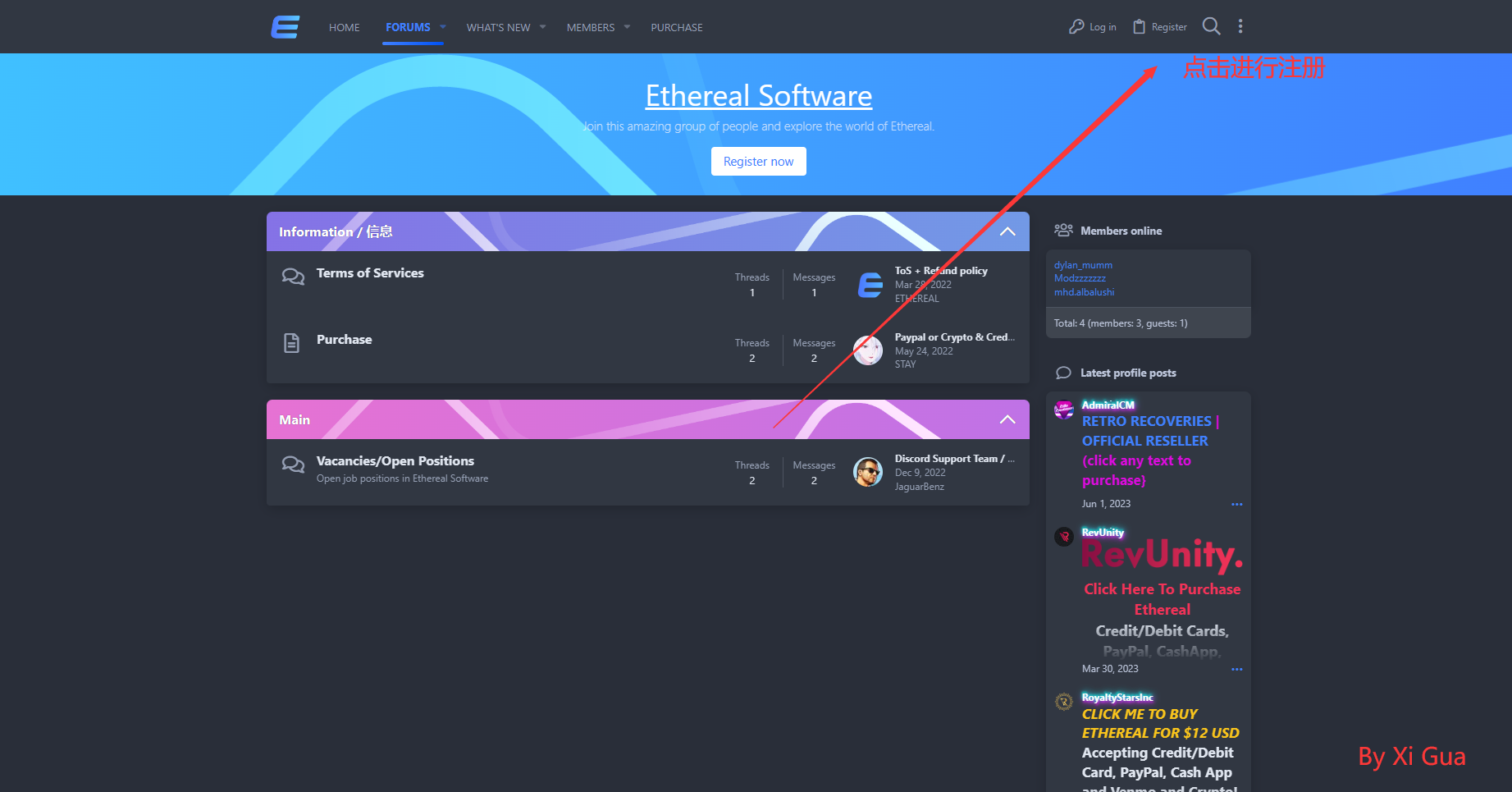
.png) ## 注册账户
{% hint style="info" %}
### 第一步:进入Ethereal官网:[点我进入官网](https://etherealmenu.cn/)
{% endhint %}
{% hint style="info" %}
### 第二步:点击 `Register`
{% endhint %}
## 注册账户
{% hint style="info" %}
### 第一步:进入Ethereal官网:[点我进入官网](https://etherealmenu.cn/)
{% endhint %}
{% hint style="info" %}
### 第二步:点击 `Register`
{% endhint %}
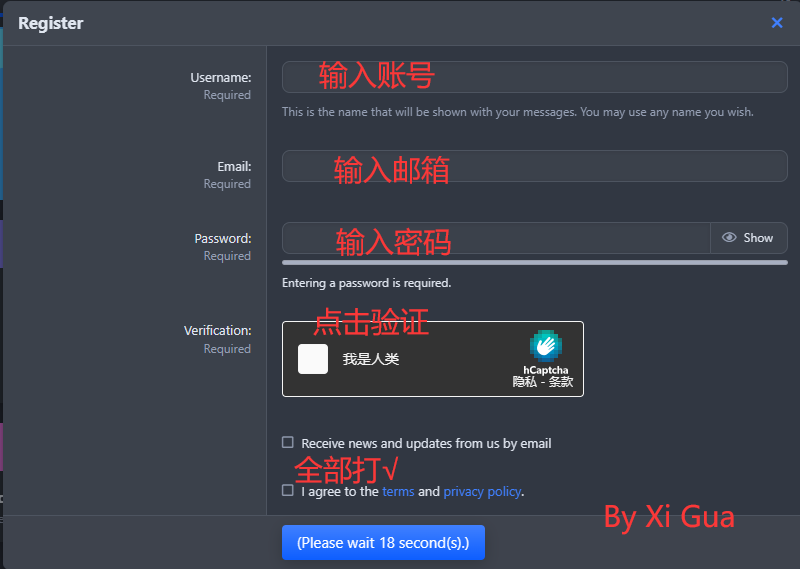
 #### 第三步:输入你的信息
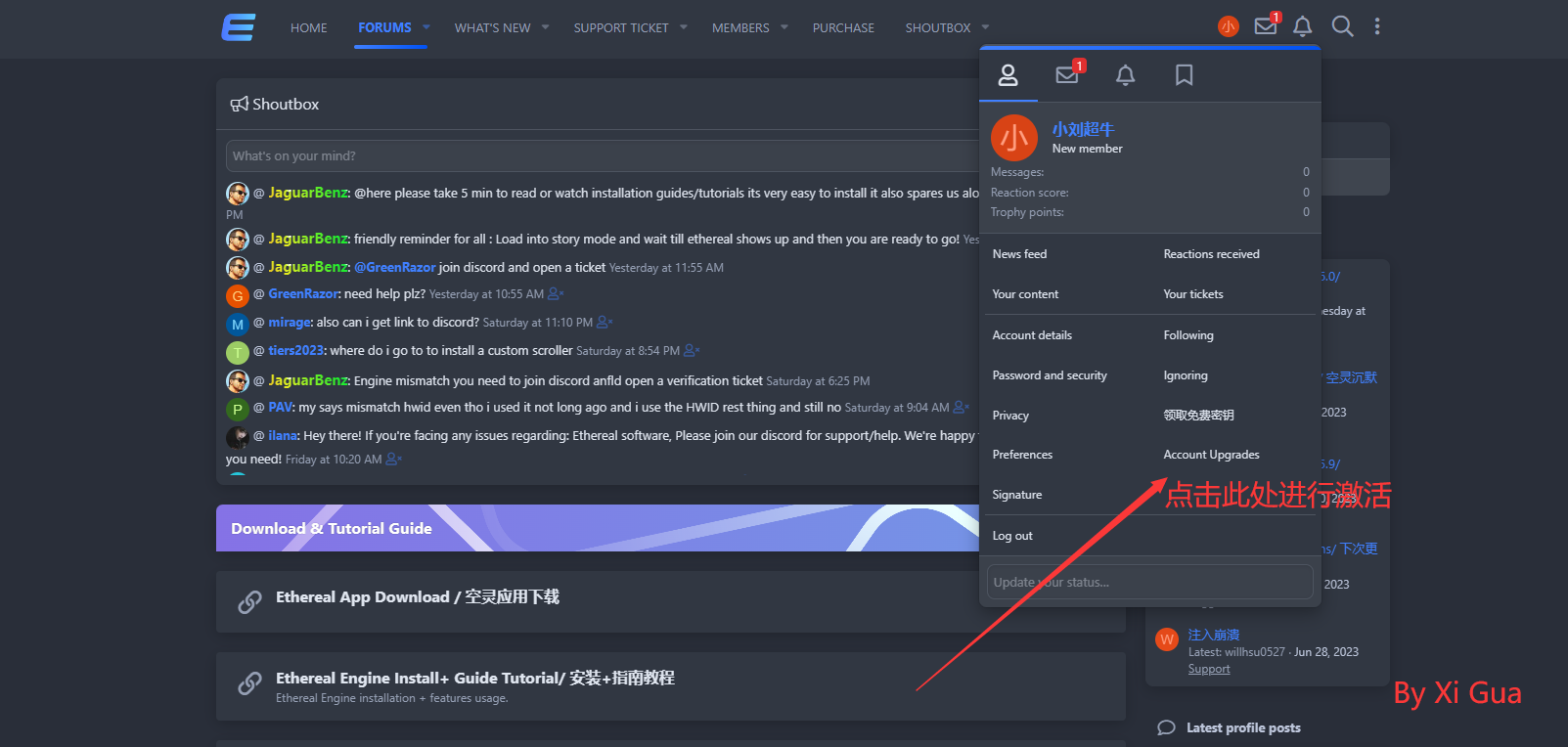
 ## 激活账户
{% hint style="info" %}
### 第一步:点击 `Account Upgrades`
{% endhint %}
## 激活账户
{% hint style="info" %}
### 第一步:点击 `Account Upgrades`
{% endhint %}
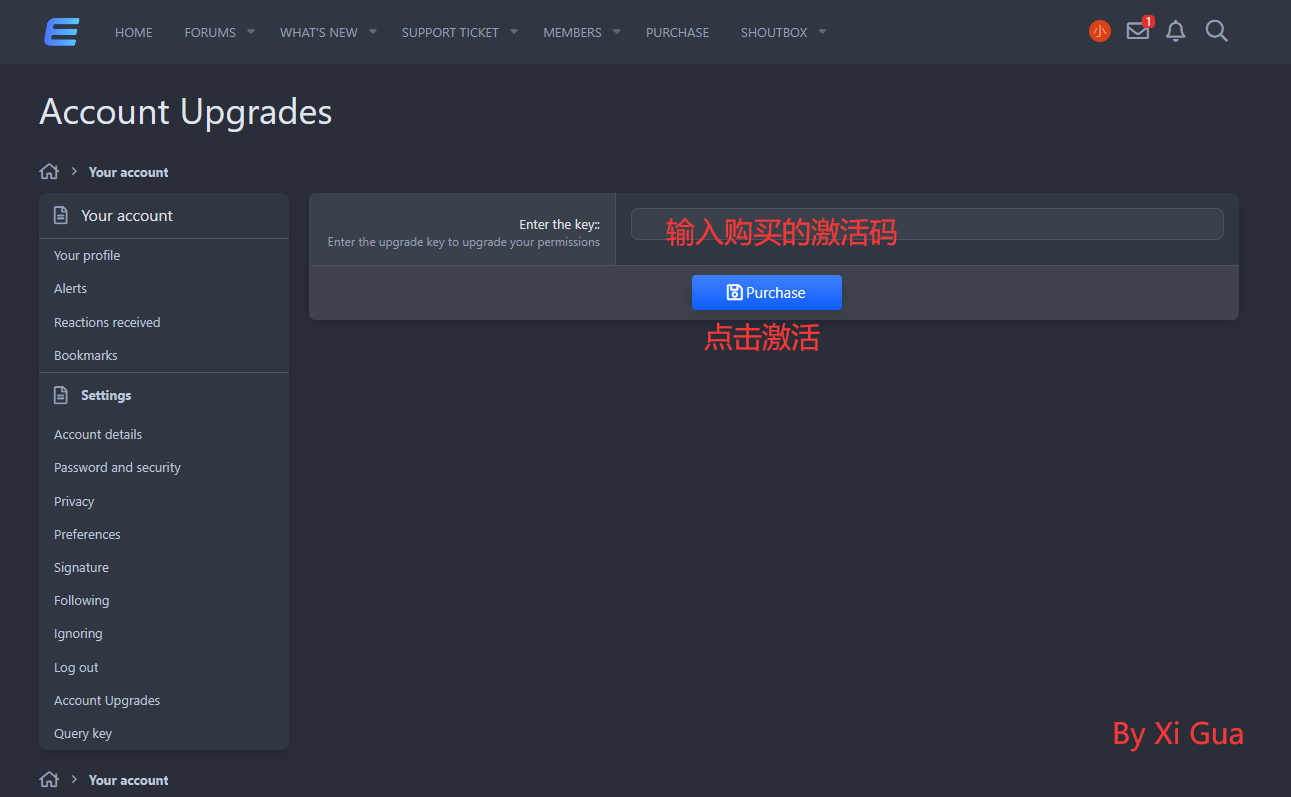
 #### 第二步:输入你的激活码 点击 `Purchase`
 {% hint style="success" %}
### 恭喜你完成注册激活的所有步骤
{% endhint %}
## 安装文件
{% hint style="info" %}
### 下载Ethereal注入器
{% endhint %}
{% embed url="" %}
{% hint style="warning" %}
## 若有出现下载失败的,请点击下方关杀毒软件教程
{% endhint %}
{% embed url="" %}
### 注入游戏
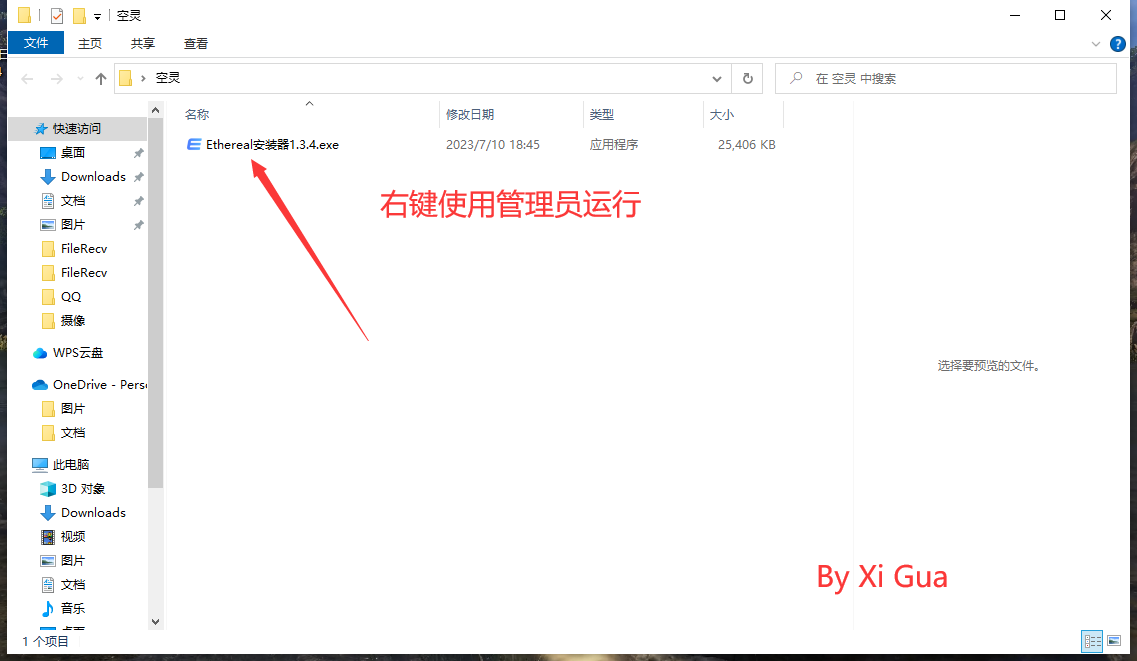
#### 第一步:管理员运行注入器 点击安装
{% hint style="success" %}
### 恭喜你完成注册激活的所有步骤
{% endhint %}
## 安装文件
{% hint style="info" %}
### 下载Ethereal注入器
{% endhint %}
{% embed url="" %}
{% hint style="warning" %}
## 若有出现下载失败的,请点击下方关杀毒软件教程
{% endhint %}
{% embed url="" %}
### 注入游戏
#### 第一步:管理员运行注入器 点击安装
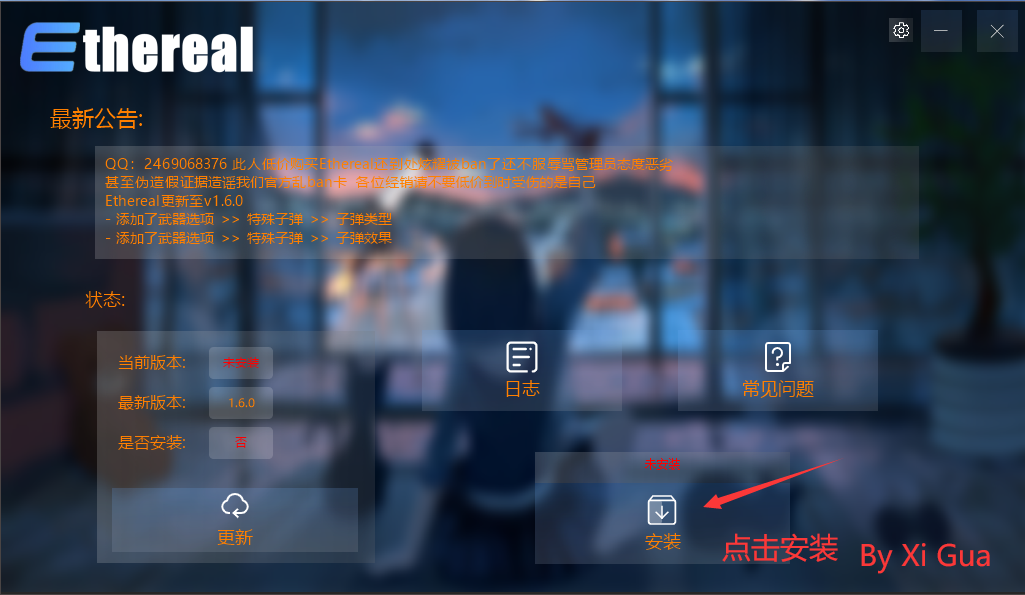
 ### 第二步:输入你的信息 点击绑定
{% hint style="warning" %}
## 若无法正常打开安装器,请重新下载
{% endhint %}
### 第二步:输入你的信息 点击绑定
{% hint style="warning" %}
## 若无法正常打开安装器,请重新下载
{% endhint %}
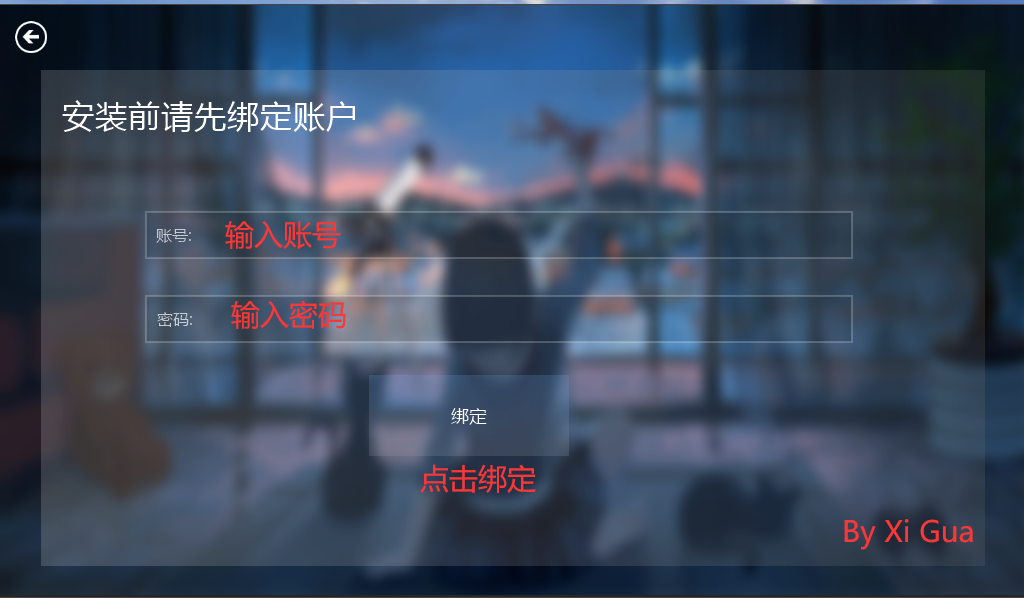
 #### 第三步:打开游戏 进入故事模式 点击注入
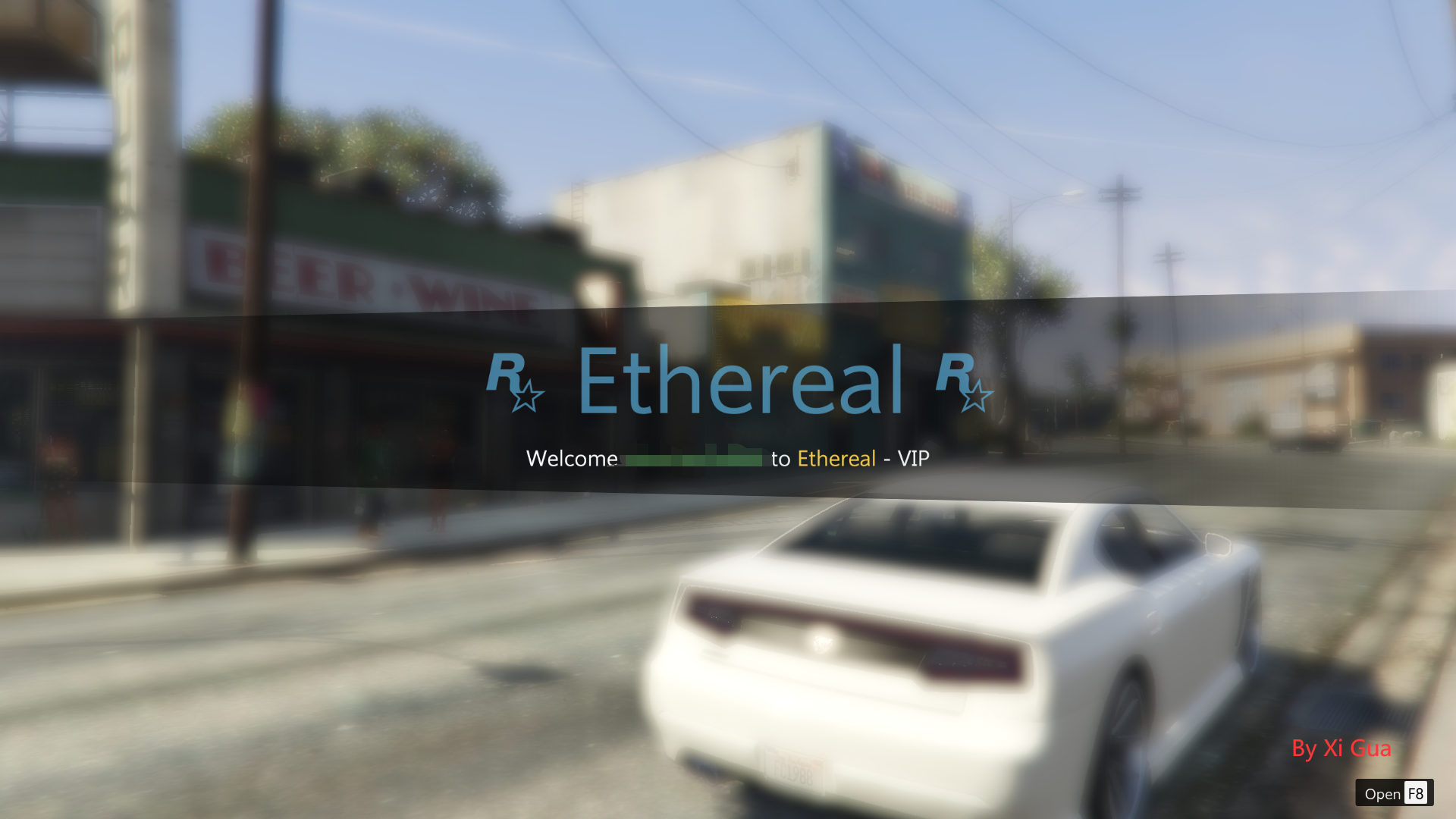
 ### 等待一会即可
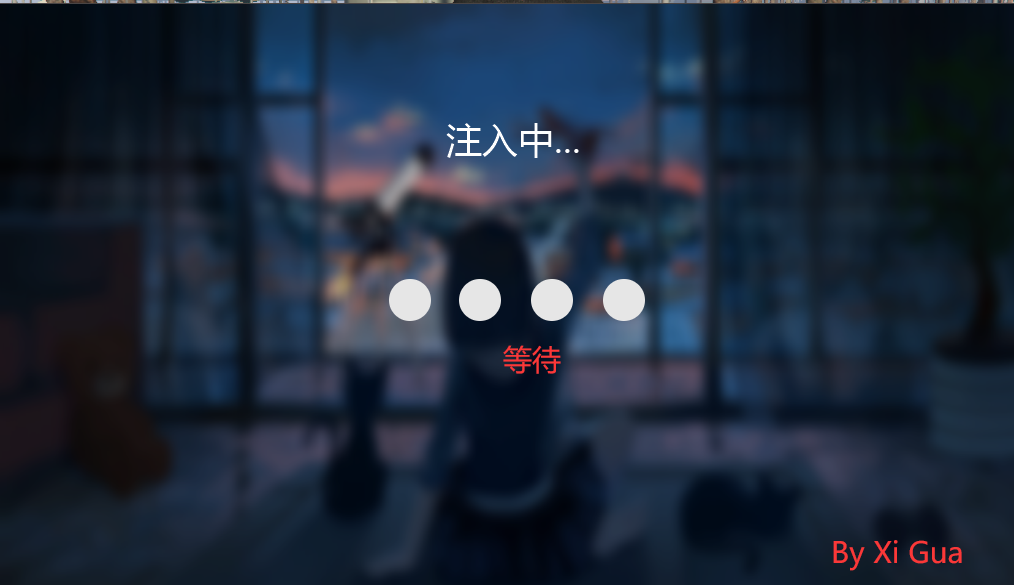 #### 如下图即为注入成功
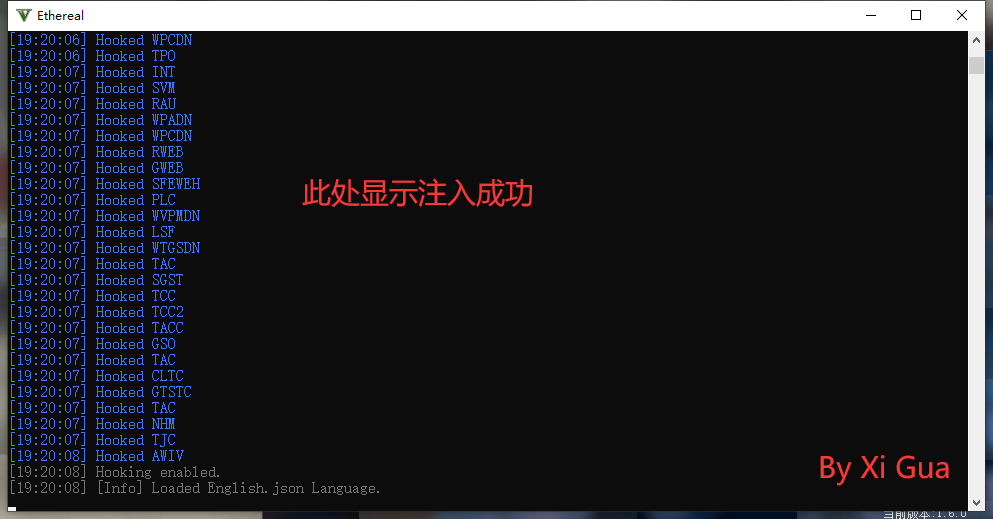
 #### 以下窗口不得关闭 最小化即可
 ### 按键说明
**`F8` 呼出/隐藏菜单**
**方向键 `↑`** **`↓` 或者 `8`** **`2` 控制上下**
**方向键 `←`** **`→` 或者 `4`** **`6` 控制左右**
**`回车键/Ent/5` 确定 `退格键/Back/0` 返回**
---
# Agent Instructions
This documentation is published with GitBook. GitBook is the documentation platform designed so that both humans and AI agents can read, navigate, and reason over technical content effectively. Learn more at gitbook.com.
## Querying This Documentation
If you need additional information that is not directly available in this page, you can query the documentation dynamically by asking a question.
Perform an HTTP GET request on the current page URL with the `ask` query parameter, and the optional `goal` query parameter:
```
GET https://wiki.apns.top/gtav-menu-jc/ethereal-kong-ling-jiao-cheng/ethereal-kong-ling-shi-yong-jiao-cheng.md?ask=&goal=
```
`ask` is the immediate question: it should be specific, self-contained, and written in natural language.
`goal` is optional and describes the broader end goal you are ultimately trying to accomplish on behalf of the user. GitBook uses it to tailor the answer towards what is most useful for that goal.
The response will contain a direct answer to the question and relevant excerpts and sources from the documentation.
Use this mechanism when the answer is not explicitly present in the current page, you need clarification or additional context, or you want to retrieve related documentation sections.
### 按键说明
**`F8` 呼出/隐藏菜单**
**方向键 `↑`** **`↓` 或者 `8`** **`2` 控制上下**
**方向键 `←`** **`→` 或者 `4`** **`6` 控制左右**
**`回车键/Ent/5` 确定 `退格键/Back/0` 返回**
---
# Agent Instructions
This documentation is published with GitBook. GitBook is the documentation platform designed so that both humans and AI agents can read, navigate, and reason over technical content effectively. Learn more at gitbook.com.
## Querying This Documentation
If you need additional information that is not directly available in this page, you can query the documentation dynamically by asking a question.
Perform an HTTP GET request on the current page URL with the `ask` query parameter, and the optional `goal` query parameter:
```
GET https://wiki.apns.top/gtav-menu-jc/ethereal-kong-ling-jiao-cheng/ethereal-kong-ling-shi-yong-jiao-cheng.md?ask=&goal=
```
`ask` is the immediate question: it should be specific, self-contained, and written in natural language.
`goal` is optional and describes the broader end goal you are ultimately trying to accomplish on behalf of the user. GitBook uses it to tailor the answer towards what is most useful for that goal.
The response will contain a direct answer to the question and relevant excerpts and sources from the documentation.
Use this mechanism when the answer is not explicitly present in the current page, you need clarification or additional context, or you want to retrieve related documentation sections.