# 无法显示谷歌验证码的解决办法
**1、更换浏览器**
**尝试使用 谷歌浏览器 或者 火狐浏览器**
**2、使用 谷歌浏览器 或者 火狐浏览器 的同时 使用steam++软件**
**下载Steam++**:
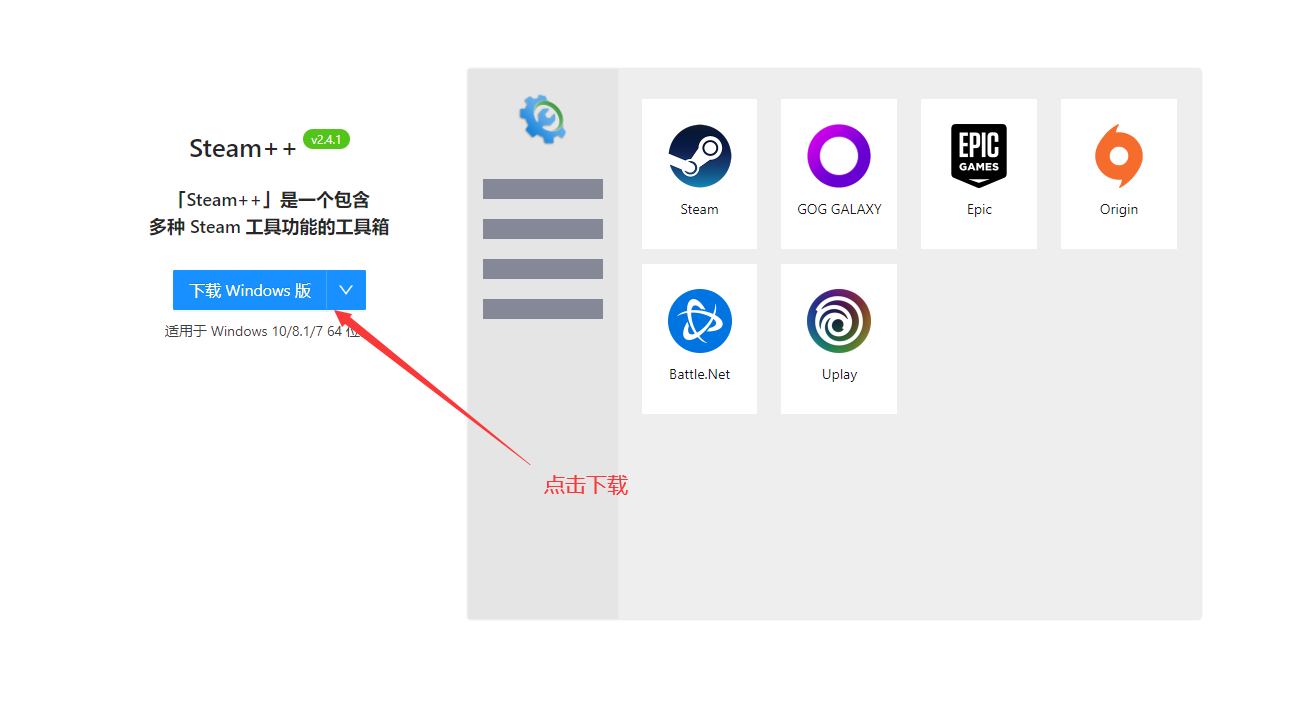
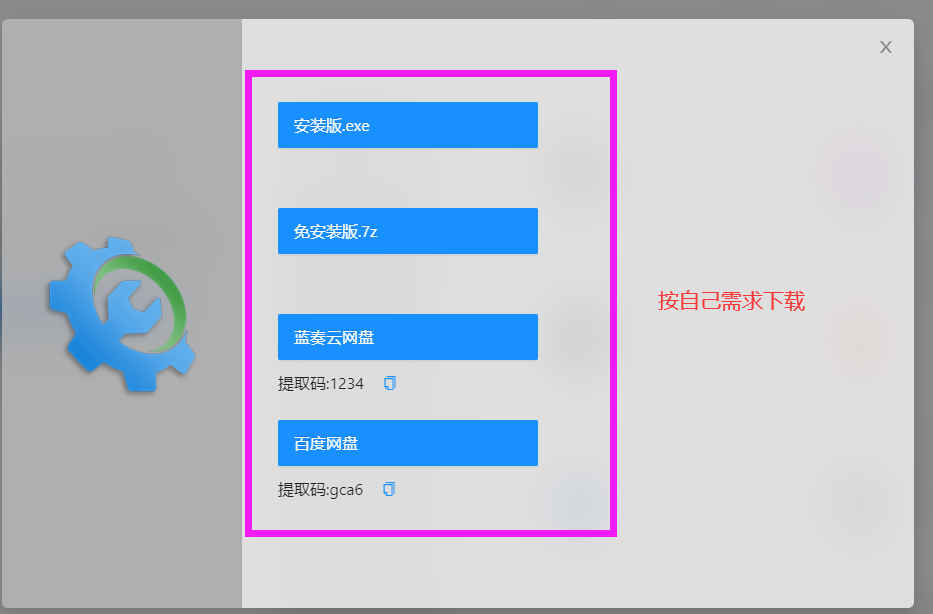
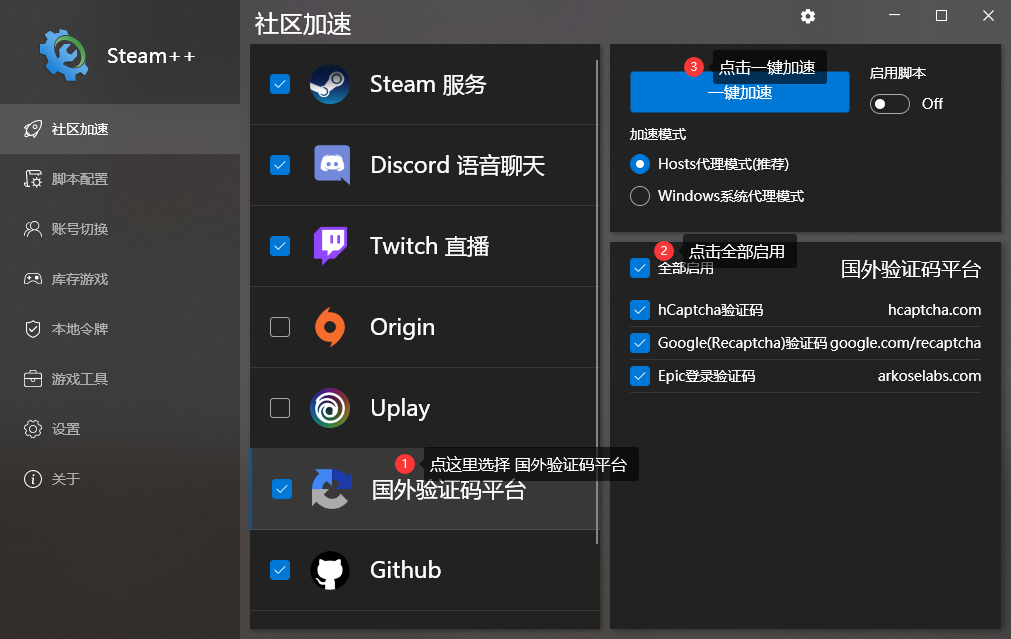 **启动成功后,刷新网页,或重新打开网页,即可看到验证码**
---
# Agent Instructions: Querying This Documentation
If you need additional information that is not directly available in this page, you can query the documentation dynamically by asking a question.
Perform an HTTP GET request on the current page URL with the `ask` query parameter:
```
GET https://wiki.apns.top/qi-ta-jiao-cheng/ke-ji-za-yi-jiao-cheng/wu-fa-xian-shi-gu-ge-yan-zheng-ma-de-jie-jue-ban-fa.md?ask=
```
The question should be specific, self-contained, and written in natural language.
The response will contain a direct answer to the question and relevant excerpts and sources from the documentation.
Use this mechanism when the answer is not explicitly present in the current page, you need clarification or additional context, or you want to retrieve related documentation sections.
**启动成功后,刷新网页,或重新打开网页,即可看到验证码**
---
# Agent Instructions: Querying This Documentation
If you need additional information that is not directly available in this page, you can query the documentation dynamically by asking a question.
Perform an HTTP GET request on the current page URL with the `ask` query parameter:
```
GET https://wiki.apns.top/qi-ta-jiao-cheng/ke-ji-za-yi-jiao-cheng/wu-fa-xian-shi-gu-ge-yan-zheng-ma-de-jie-jue-ban-fa.md?ask=
```
The question should be specific, self-contained, and written in natural language.
The response will contain a direct answer to the question and relevant excerpts and sources from the documentation.
Use this mechanism when the answer is not explicitly present in the current page, you need clarification or additional context, or you want to retrieve related documentation sections.